A MySQL client. Less between you and your data.
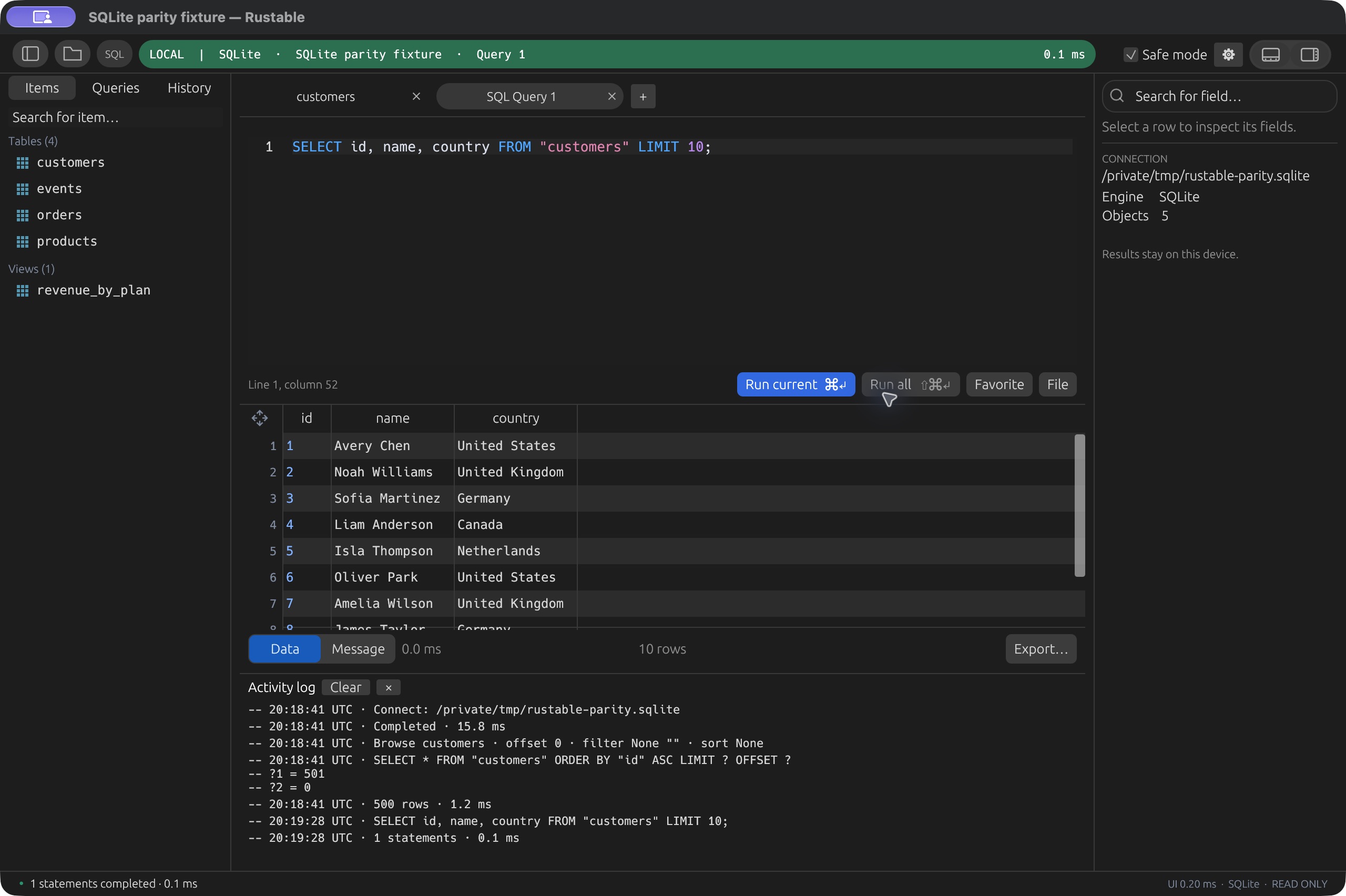
Browse tables, write SQL, and review row changes before saving. Download Rustable to connect to MySQL, or try the same workspace below with a disposable SQLite sample.
The real Rustable UI, compiled to WASM. This demo uses SQLite, not MySQL. Browse tables, run SQL, and explore disposable sample data. Reload resets the sample data; saved queries stay in this browser. Real MySQL server connections require the desktop app.
Yes, we support your silly OS as well. Windows and Linux users, you’re welcome.
v0.4.19 · Early software. macOS is signed and notarized. Release notes & checksums ↗Built for people who want to get their work done. Not clowns. 🤡 (Clowns may build from source.)
Your daily MySQL workspace
- Browse the database
- Choose a database, explore tables and views, then filter or sort a table to find the rows you need. The workspace keeps the SQL editor and data browser together.
- Write and revisit SQL
- Use multiple query tabs, context-aware completion, query history and saved queries. Inspect results in the grid and export the loaded result as CSV or JSON.
- Review row changes
- Stage inserts, updates and deletes, then review them before saving. Reviewed editing requires an eligible InnoDB table with a primary key; unsupported targets and conflicting changes are rejected.
- Move data
- Import CSV into an existing table with reviewed mappings, or export table data with the current filter and order. Exporting the loaded query result only includes the rows retained in that result.
- Connect on your terms
- Use saved profiles and verified TLS for server connections. Built-in SSH tunnels are available on macOS and Linux; Windows can use a direct connection or an external tunnel.
Open source. Native desktop.
Rustable is MIT-licensed and built in Rust. Native downloads are available for macOS, Windows and Linux.
Early software, with engine-specific limits. macOS builds are for Apple Silicon; Windows and Linux packages are x64. Linux needs Ubuntu 24.04 or compatible newer libraries.
MySQL & MariaDB support notes ↗Also working with MariaDB? Explore the MariaDB client →
Before you connect to MySQL
Is this a MySQL server in my browser?
No. The interactive demo runs SQLite sample data inside your browser. It lets you try Rustable’s table browser, SQL editor and review workflow. Download the desktop app to connect to MySQL; the demo does not accept MySQL connection credentials.
Which MySQL version has been tested?
The project’s driver acceptance suite covers MySQL 8.4. That is a tested version, not a claim that every MySQL-compatible service or server version behaves identically. Check the current support notes for your workflow.
Is Rustable a MySQL Workbench alternative?
For browsing data, writing SQL, importing CSV and reviewing row edits, Rustable offers a focused native workspace. It does not claim the full MySQL Workbench feature set: visual schema administration and a full MySQL language server are not implemented.
Can I keep MariaDB and PostgreSQL here too?
Yes. The desktop app supports MySQL, MariaDB, PostgreSQL, SQLite and Redis in one application. Each engine retains its own capabilities and limits; the shared interface does not make their SQL dialects interchangeable.
Where can I check the details?
Read the driver capabilities and current limits, or browse the source on GitHub. Rustable is an independent project.

Your MySQL data. A familiar workspace.
Try the interface here. Connect to your database on desktop.