A SQLite GUI. With an actual database inside.
Browse tables, run SQL, and review changes before saving. The demo below uses real SQLite with disposable sample data. No database server, signup, or installation needed to try it.
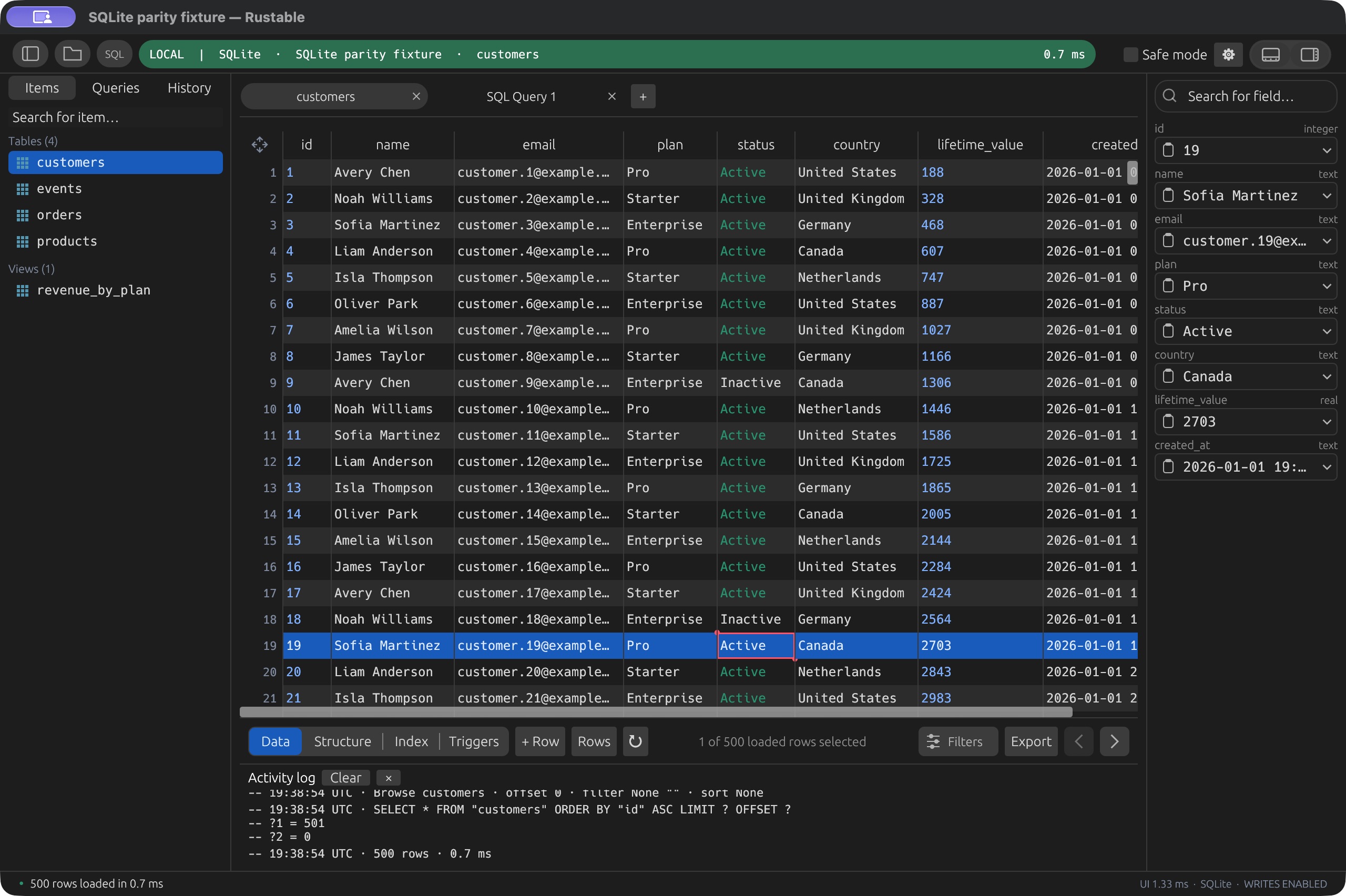
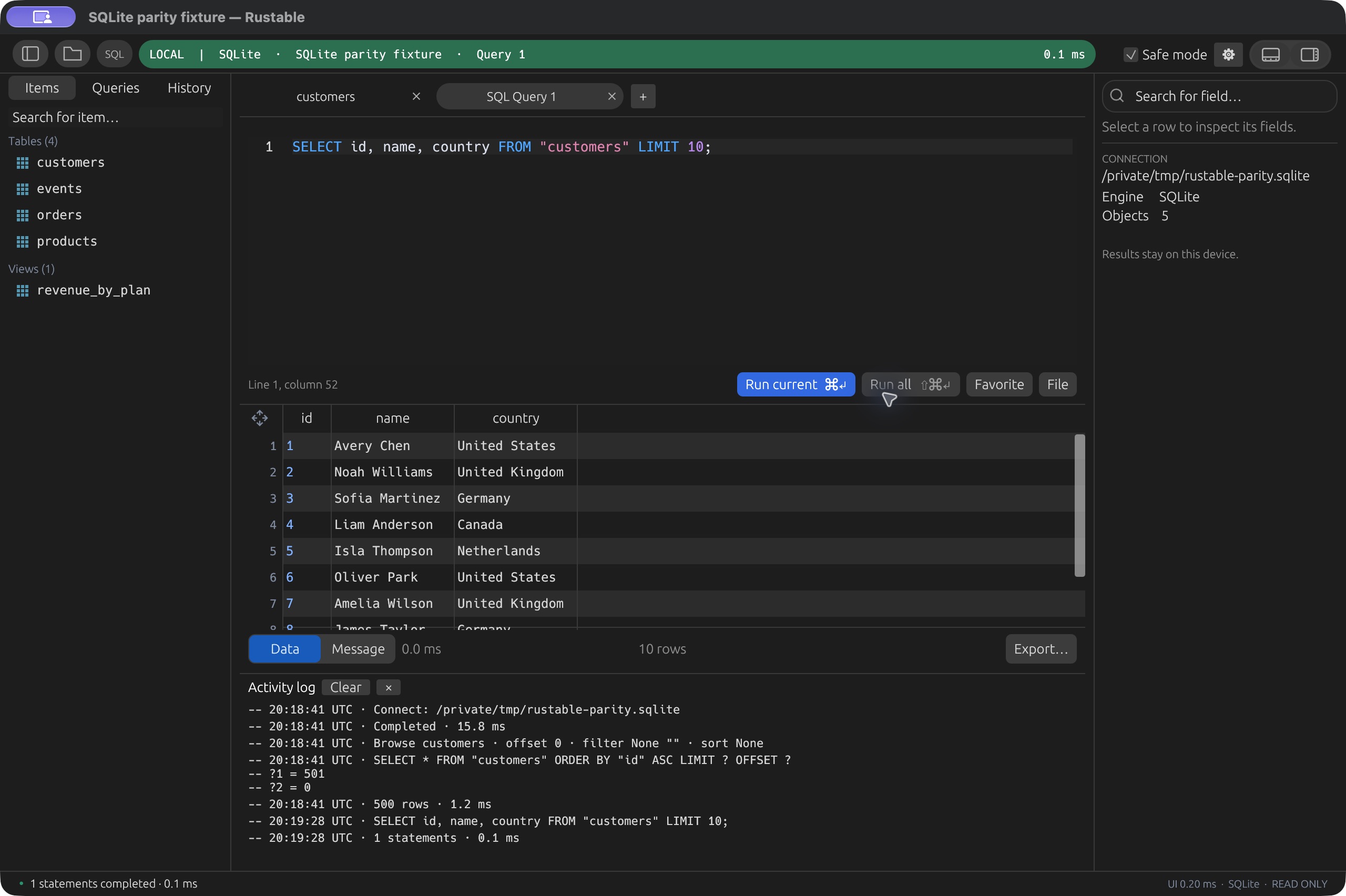
The actual Rustable workspace, compiled to WASM, running real SQLite. Browse, query, edit, import and export sample data. Reload resets the sample database; saved queries stay in this browser. Open your own SQLite files as copies with ⌘O / Ctrl+O. Your originals stay untouched. Download the desktop app to work directly with local database files.
See desktop screenshots
Yes, we support your silly OS as well. Windows and Linux users, you’re welcome.
v0.4.19 · Early software. macOS is signed and notarized. Release notes & checksums ↗Built for people who want to get their work done. Not clowns. 🤡 (Clowns may build from source.)
A workspace for SQLite
- Open a local database
- Use the desktop app to open an existing SQLite file. Browse its tables, views and columns in the same workspace as your SQL tabs.
- Query without ceremony
- Write highlighted SQL with context-aware completion. Explore the results, reuse query history, and keep multiple queries open in separate tabs.
- Make changes you can review
- Stage row edits and review the generated plan before applying it. Supported row updates and deletes use primary keys; original-value checks help detect conflicting changes.
- Inspect more than rows
- Browse table structure and use supported visual column and index changes. For operations outside the visual tools, use the SQL editor with your database’s SQLite capabilities.
- Import and export
- Import CSV into an existing table. Export loaded results as CSV or JSON, or use full-table export for the current table filter and order.
- Grow beyond a single file
- Keep SQLite alongside PostgreSQL, MySQL, MariaDB and Redis in the desktop app. Use separate connections and windows without switching database clients.
A few SQLite questions
Is this a real SQLite database?
Yes. The SQL demo uses SQLite running in the browser through Rust/WASM. Its sample database is disposable, so you can try queries and edits without connecting to a server. The Redis option in Connections is a separate in-memory simulation.
Will opening a file here change my original?
No. The browser demo opens SQLite files as copies; your original file stays untouched. To work directly with a local database file, use the desktop app. Browser copies and desktop files are different workflows.
Can I edit any query result?
Not every result is editable. Row updates and deletes need primary-key identity and supported writable values. Safe mode can restrict writes, and you review staged changes before applying them. See the capabilities and current limits for supported workflows.
Do I need a server or paid account?
SQLite does not need a separate database server, and this demo does not need an account. Rustable is free, open source and MIT-licensed, with native desktop builds for macOS, Windows and Linux. Read the source on GitHub ↗.

One file. Plenty to explore.
Native builds for macOS, Windows and Linux.