Your database client, now with MCP
Let AI start the query.
You take it from here.
Give your AI agent a seat in your Rustable workspace. It can read your SQL, edit the tab you’re working in, and run queries. The SQL and results stay right there for you to inspect, change, and make your own.
macOS & Linux · PostgreSQL, SQLite, MySQL & MariaDB
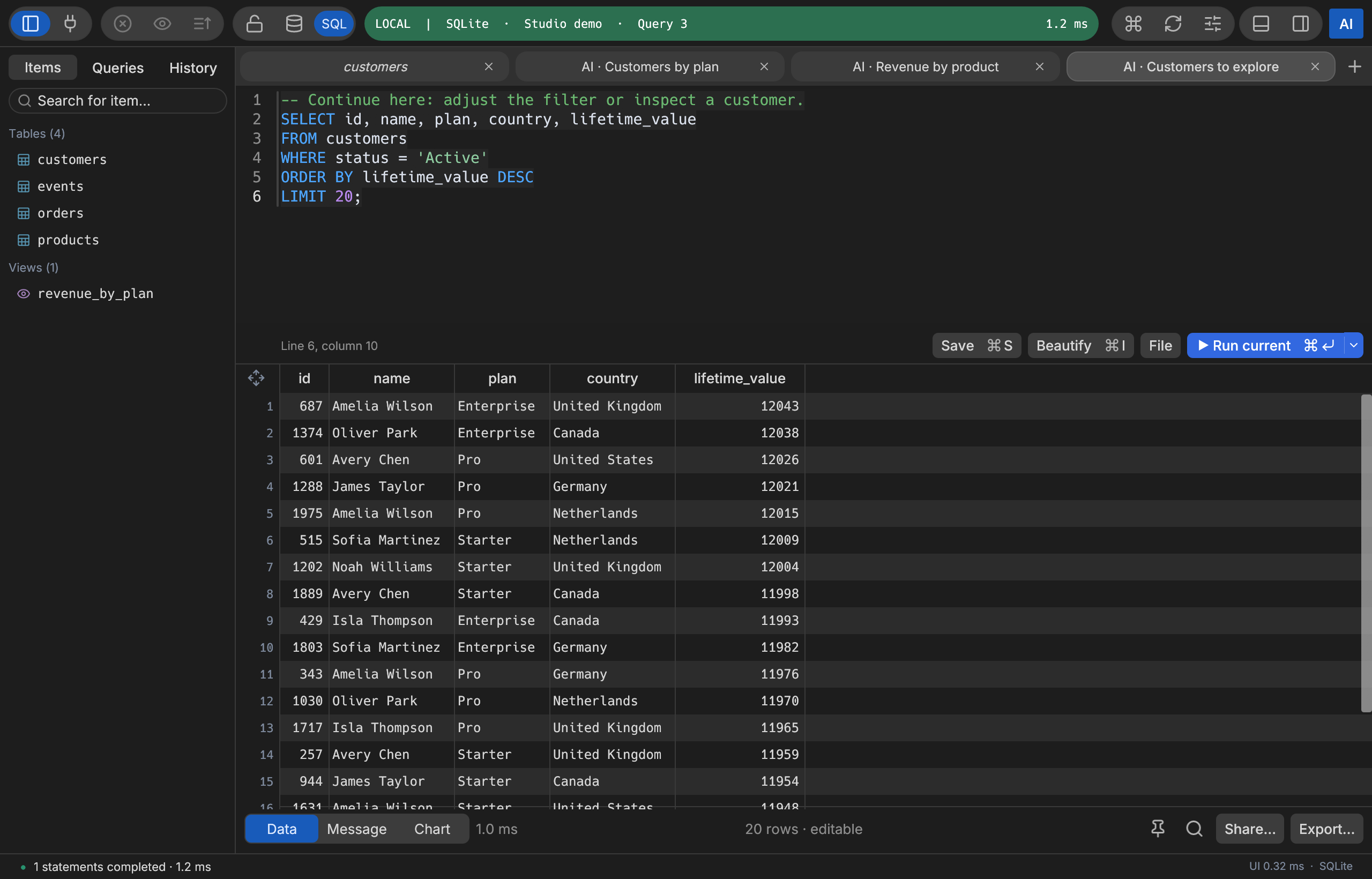
A conversation that leaves you something useful
From “can you look into this?”
to a query you can keep.
- 01 / Ask
Start with your question
Ask your connected agent to explore the enabled database, explain your current SQL, or change an existing query.
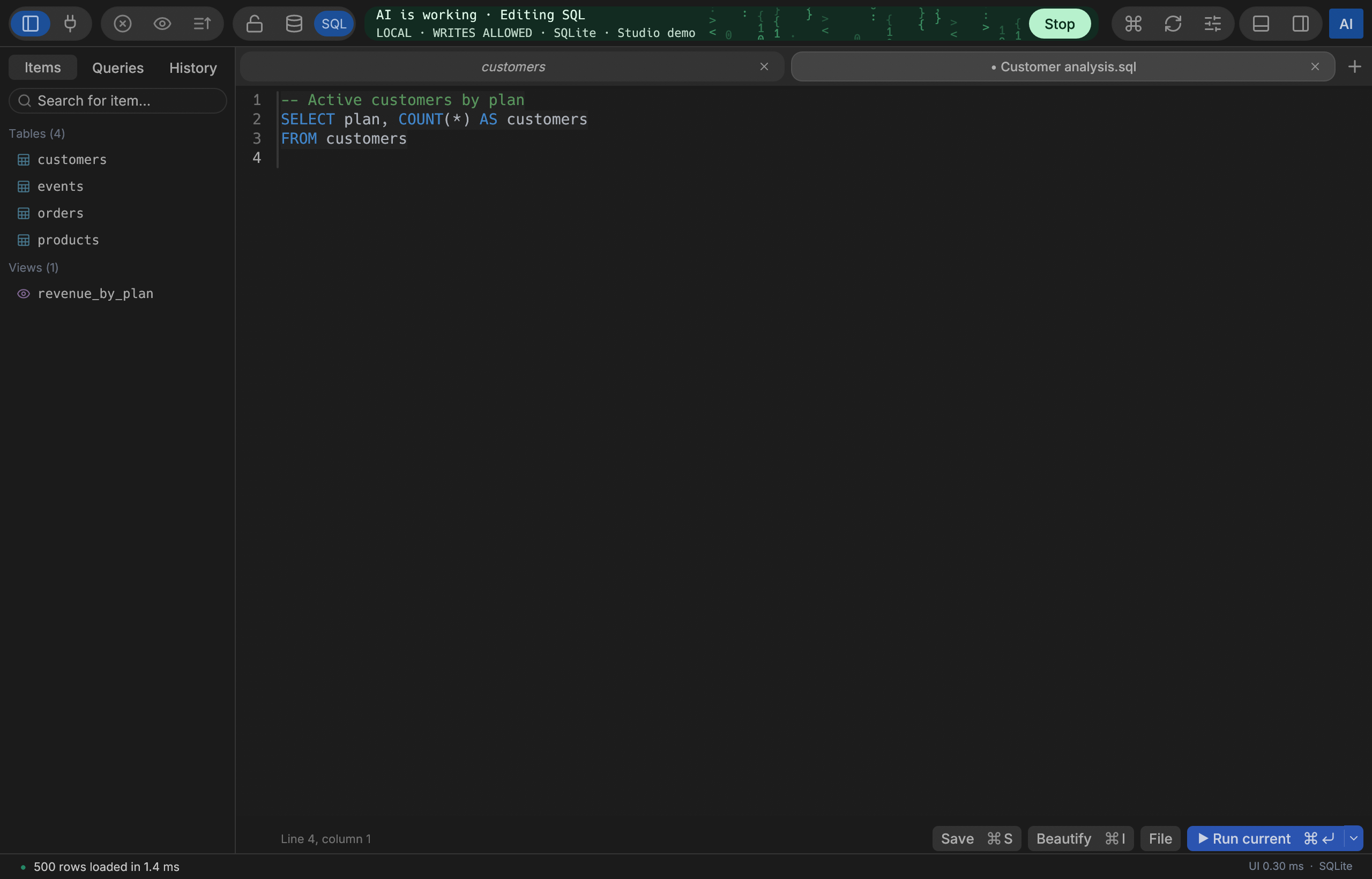
“In this query, only include active customers and group them by plan.”
- 02 / Watch
See the work happen
Edits appear in the actual SQL editor. When the agent runs a query, its results appear in that same tab. The green activity bar tells you when AI is working.
- 03 / Continue
Make it yours
Pause AI access and carry on. Adjust the SQL, rerun it, inspect the rows, or save the query. You can also ask the agent for another change in the same tab.
Your existing query counts, too
“Change this query”
means this query.
Your agent can read the current tab and selection, then edit that same SQL. Clients using progressive edits show each chunk as it arrives, with changed lines marked in the editor.
Use Stop or Esc to pause AI access and request cancellation of a running AI query. Once editing stops, Undo AI edit can restore the original SQL if it hasn’t been changed since.
Editing and execution are separate actions. An edit alone doesn’t rerun the query; results remain from the previous execution until you run it again.
Bring your agent
One live workspace.
A few steps to connect.
MCP (Model Context Protocol) lets an external AI client use Rustable’s workspace tools. Choose a client that supports local stdio MCP servers.
Open Rustable on macOS or Linux
Open the SQL connection you want to work with. Rustable uses that existing connection, including its permissions and SSH/TLS settings.
Copy the live configuration
Choose AI → Connect an AI agent… → Copy configuration. Add it to your client’s MCP configuration. For clients with separate fields, expand Manual setup to copy the command and arguments.
Enable the intended workspace
Choose AI → Enable AI control in that connection’s window. Copying the configuration alone doesn’t grant access. Only explicitly enabled, active SQL workspaces are exposed.
Ask your agent to get started
“List my enabled Rustable workspaces. In the Studio demo connection, explore customers by plan. Leave the SQL and results in a named tab I can continue editing.”
Use your own connection name. Keep Rustable open, and copy the configuration again after restarting the app.
Get Rustable. Bring your agent.
Free and open source. MCP integration is currently available on macOS and Linux.
The useful details
What can the agent access?
Enabled SQL workspaces share their open SQL tabs, editor selection, loaded catalog information, and bounded query-result previews. The agent can create or edit tabs and run SQL with the connection’s permissions. Database credentials stay in Rustable; query text and result data are returned to your AI client and may be sent to its model provider.
Do Safe mode and confirmations still apply?
Yes. The agent uses the normal query execution path. It cannot change Safe mode or approve confirmation dialogs. This integration is not inherently read-only: writes are possible when your database permissions and Safe mode allow them. Stopping AI access does not undo committed writes or automatically roll back a transaction.
Can I take over and give the work back later?
Yes. Use Stop or Esc during AI work, or AI → Pause AI access while idle. Queries and results remain in their tabs. Re-enable AI control when you want the agent to continue; it must rediscover the workspace. Rustable rejects stale edits and executions when the SQL has changed.
Is this built-in AI chat? Does it work in the browser demo?
You bring an external MCP-compatible client and its model. Rustable does not include a chat panel or model subscription. The MCP bridge runs in the desktop app on macOS and Linux; Windows, browser MCP, and Redis agent control are not supported yet. The browser demo lets you try the ordinary SQL workspace.
Does the agent see every row?
No. Inspections return a bounded preview of up to 20 in-memory rows and 30 columns, with text clipping. The agent can write focused queries to investigate further. These previews are not a full database export.

Same SQL. More hands. Less ceremony.
You still get the last word.